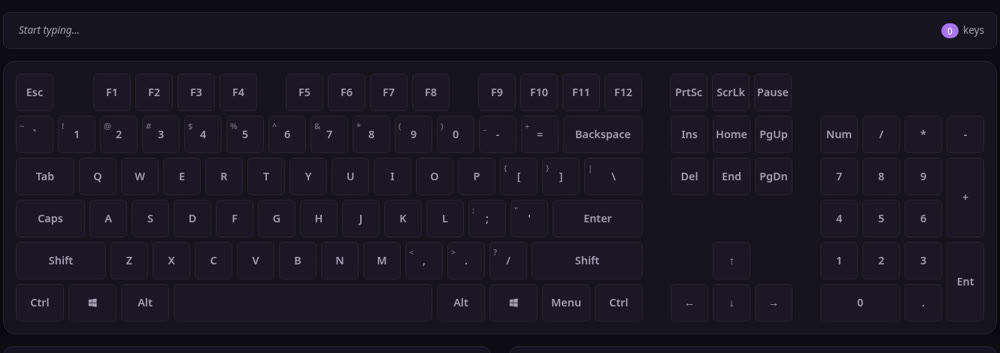
Keys not registering, or letters showing up doubled? Press a few keys on the board above and you'll know in seconds. If a key works, the matching square lights up. If it stays dark, something's wrong with it.
The whole thing runs in your browser. Nothing to download, nothing to sign up for.
How to test your keyboard
- Press each physical key, one at a time.
- Watch the on-screen keyboard. Working keys change color. Faulty ones just sit there.
- Check the keys you lean on most — Space, Enter, Ctrl, the arrow keys — plus any that feel off.
What it detects
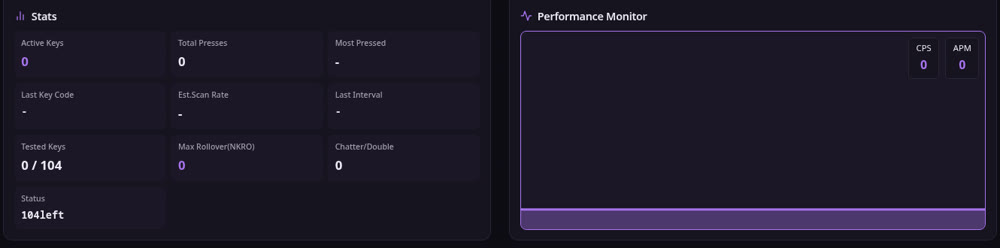
- Dead keys: you press, nothing happens.
- Stuck or double keys: one press, two characters.
- Ghosting: hold several keys at once and some get dropped — gamers run into this a lot.
Plenty of people open Notepad or Word to type a quick test. But that won't show ghosting, and you can't really tell whether F1–F12 are firing. Seeing it on a live keyboard map is faster and a lot clearer.
Which devices it works on
Windows laptops and desktop PCs, Macs, brands like Dell, Asus and HP, even a standalone mechanical board. Any browser does the job — Chrome, Edge, Safari. The operating system doesn't matter.
People look this up in all sorts of ways — test keyboard, keyboard test, test key, key test, check keyboard, test keyboard online, keyboard test online — and even typos like tesst key, tet key, tét key all land here.
FAQ
Is it free? Yes. Use it as much as you want. No account, no login.
What does a lit-up key mean? That key is sending its signal fine. The ones to worry about are the keys that never change color no matter how hard you press.
Can it test a mouse? The buttons, yes. Click left, right and middle to see if each one registers.
Found a broken key — now what? Try cleaning it first, or pop the keycap off and clear out any dust. Still nothing? It's probably a dead switch, and at that point you're looking at replacing the key or the keyboard.